How to Get the Best Results from Your AI Christmas Photo
Exact inputs, lighting, prompts, and review steps that deliver the sharpest, most realistic AI Christmas photos on ThatMoment.Studio.
Key Takeaways
- Professional Christmas photos in minutes
- No photography skills required
- 30 unique variations from one photo
- Perfect for holiday cards and gifts
How to Get the Best Results from Your AI Christmas Photo
AI magic is only as good as the input you give it. This guide shows you how to nail lighting, framing, prompts, and review so your AI Christmas photo looks like it came from a premium studio—without the price tag.
If you need the capture-to-upload walkthrough first, start with how to turn any photo into an AI Christmas photo. When something looks off, jump to fixes for common AI Christmas photo problems.
Inputs that produce the sharpest renders
- Resolution: Aim for 3000x4000 px or higher; avoid screenshots or compressed social uploads.
- Lighting: One soft source (window or bounced lamp). Turn off overheads to prevent under-eye shadows.
- Framing: Leave headroom and shoulder room; keep hands visible to avoid AI guesswork.
- Outfits: Neutral base + one hero color. Avoid tiny plaid patterns that can warp.
- Expression: Soft smile or calm gaze. Dramatic presets exaggerate expressions—start subtle.
Prompt formulas that work
Use one line with three parts: lighting + decor + preservation.
Examples:
- "Warm fireplace glow, knit textures, stockings on mantle, keep navy sweater and glasses."
- "Snowy forest at dusk, pine trees, string lights, keep our green dress and natural curls."
- "Nordic minimal living room, paper stars, birch branches, keep pet on lap."
Preset pairings based on your base photo
- Warm outfits/light: Cozy Fireplace, Elegant Holiday, Family Circle.
- Cool outfits/light: Snowy Forest, Romantic Winter, Modern Minimal.
- Playful energy (kids/pets): Gift Box Fun, Santa & Kids.
- Glam night shots: Winter Gala, Romantic Winter.
Generate two presets per upload—one warm, one cool—to see which keeps facial detail better.
Before/after quality check
Before / After
Snowy Forest Detail
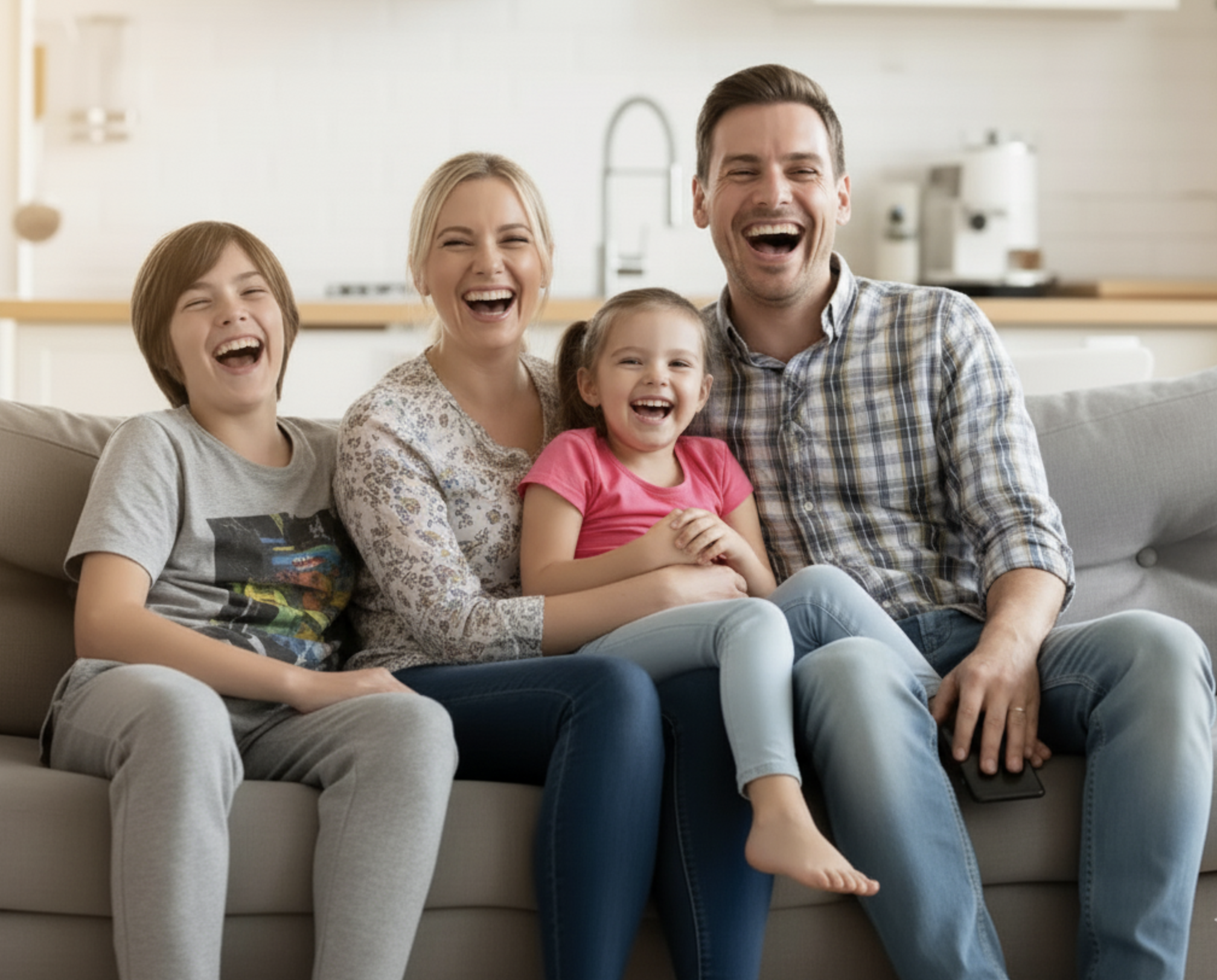
Snowy Forest Detail
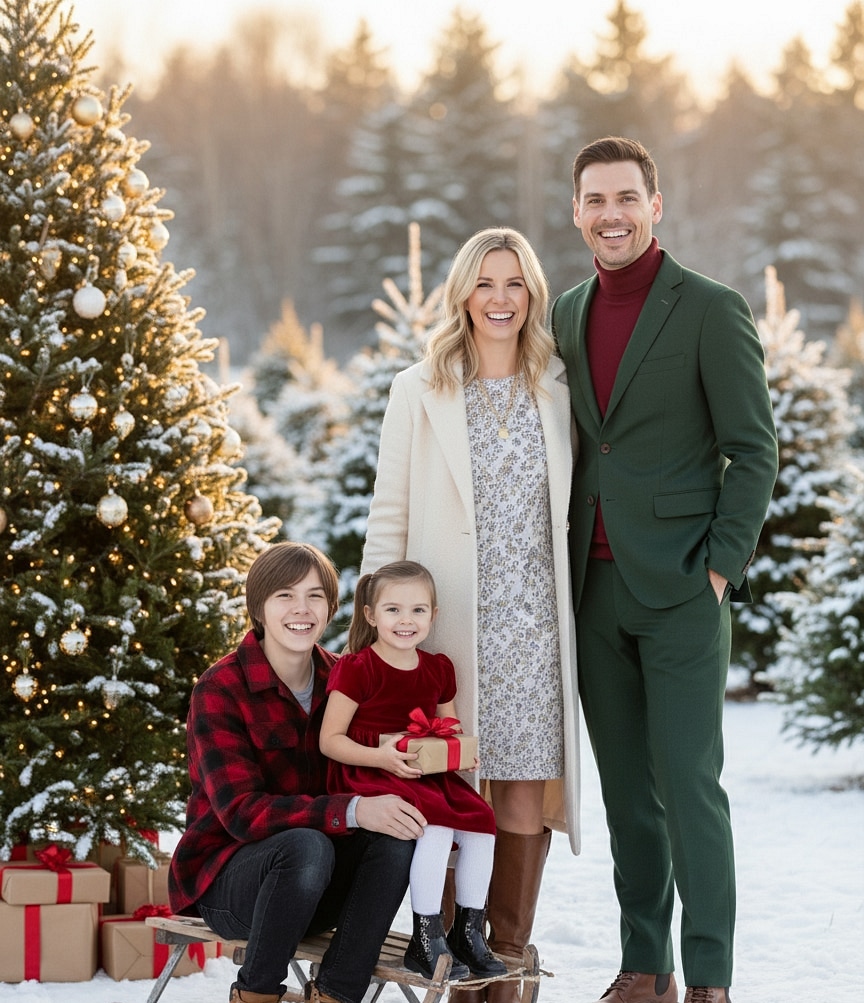
When reviewing:
- Zoom to 100% and inspect eyes, fingers, and hairlines.
- Compare how each preset handles fabric edges and jewelry.
- Pick the render with the cleanest micro-details—even if the background is simpler.
Advanced tweaks that matter
Control color temperature
- If your base photo is too warm but you want snow, cool it slightly before upload or ask for "cooler skin tones" in the prompt.
- If your base photo is cool and you want a fireplace look, warm exposure by +10-15% and add "candle glow" to guide the AI.
Manage glasses, curls, and facial hair
- Mention them explicitly: "keep glasses and beard" or "keep natural curls".
- Avoid side lighting that creates hard reflections on lenses.
Preserve kids and pets
- Keep their faces fully visible and note "keep stuffed animal" or "keep leash".
- Choose presets with softer backgrounds (Family Circle, Modern Minimal) to reduce edge artifacts.
Avoid over-crowded prompts
- One vibe per request: either fireplace or snowy city, not both.
- Keep prop requests minimal: 2-3 items maximum to avoid cluttered renders.
Export for print and social
- Download full resolution (864x1184 px) from ThatMoment.Studio.
- For 5x7 cards, upscale 20-25% and keep 0.125 inch bleed.
- For Instagram, crop to 4x5 while keeping eyes centered.
- Save JPEG at 90-95% quality in sRGB.
More print math lives in print sizes for AI Christmas photos and holiday cards.
Internal links to reinforce the cluster
- Main hub and CTA: create your AI Christmas photo
- Capture walkthrough: how to turn any photo into an AI Christmas photo
- Troubleshooting: fixes for common AI Christmas photo problems
Quick routine for pro-level results
- Capture one clean, well-lit photo with headroom and visible hands.
- Upload and run two presets—one warm, one cool—with a single-line prompt.
- Zoom to 100%, pick the cleanest eyes and fingers, regenerate once if needed.
- Export high-res, prep for 5x7 print, and share the gallery from ThatMoment.Studio.
Great AI Christmas photos are not luck. They are the result of one clear photo, one precise prompt, and a focused review.